
Pickup requests and approvals
Share a configurable public form on your website or log requests received by phone. Review item details, dimensions, submitted photos, and access instructions before approving a pickup.
Part of Donor Management
Collect pickup requests online or by phone, schedule pickups and deliveries on the same itinerary, and track what your team collects or delivers.
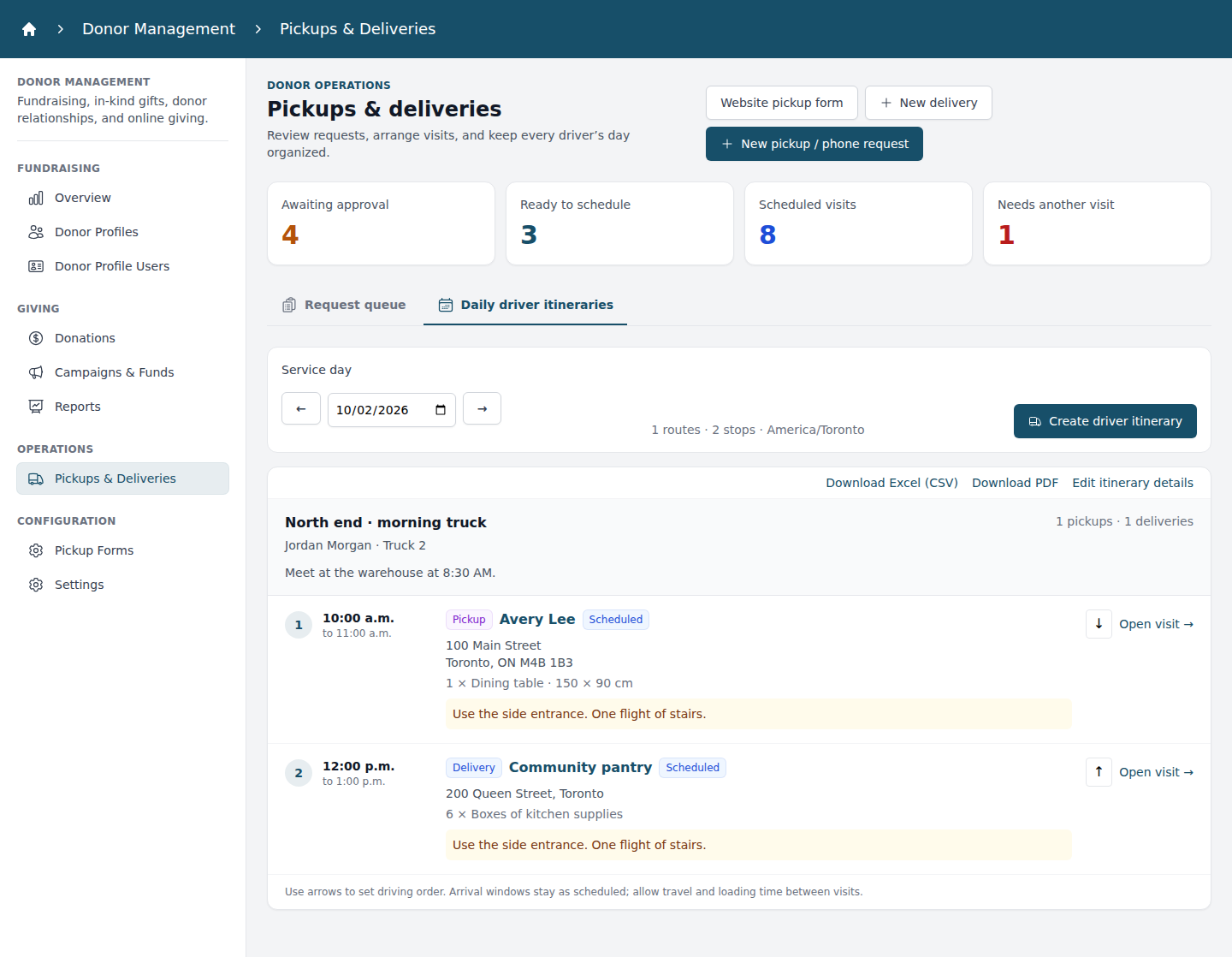
Share a configurable public form on your website or log requests received by phone. Review item details, dimensions, submitted photos, and access instructions before approving a pickup.
Set arrival windows and see scheduled pickups and deliveries on a monthly calendar. ReziLink checks for overlapping visits assigned to the same driver.
Set a default vehicle and assign drivers to vehicles. Create an itinerary as you schedule a visit, reorder stops, and download the day’s itinerary as a printable PDF or CSV file.
Send scheduling confirmations and reminders by email to contacts who opt in. Log phone follow-ups in the visit history.
Drivers can open their assigned stops to see addresses, item lists, and handling instructions. They can record quantities collected, flag item exceptions, and note why a visit needs follow-up.
See whether the donor requested a tax receipt and link the completed pickup to the received in-kind donation. Manage receipts from the donation record.
Tell us how your team handles donation pickups and deliveries. We’ll show you how to set up the workflow in Donor Management.