Video lessons
Use YouTube, Vimeo, or uploaded videos. Set how much of the video learners must watch, with progress based on the content they actually view.
Training & learning
Give staff, volunteers, and program participants a clear way to learn. Create courses inside ReziLink, assign them to the right people, and keep progress and completion records connected to their account.
Bring orientation, policies, and practical know-how into the same platform your team uses to manage people and programs.
Your content. A clear learning path.
Combine video, slides, written guidance, acknowledgements, and quizzes in one course. Decide what learners need to complete and give them a clear view of their next step.
Use YouTube, Vimeo, or uploaded videos. Set how much of the video learners must watch, with progress based on the content they actually view.
Turn presentations into easy-to-follow PDF slides. Learners can navigate, revisit slides still to review, and resume from their saved place.
Create rich text lessons with headings, images, links, tables, and instructions. Keep your own policies and procedures inside the course.
Ask learners to confirm they have read and understood a policy. Keep the confirmation and its timestamp with their training record.
Check understanding with multiple-choice and true-or-false questions. Set a passing score and let learners retry when they need another attempt.
Assign published courses to the people already in ReziLink, add optional due dates, and send an email with a link to begin.
Set minimum participation time, required lessons, video coverage, and acknowledgements. Learners see what they still need to complete.
Review learner status, active time, acknowledgements, due dates, and completion dates. Export CSV reports and notify selected administrators when a learner finishes.
Duplicate a course to reuse its structure, or publish a new version when requirements change. Existing assignments keep their version and completion history.
From preparation to completion
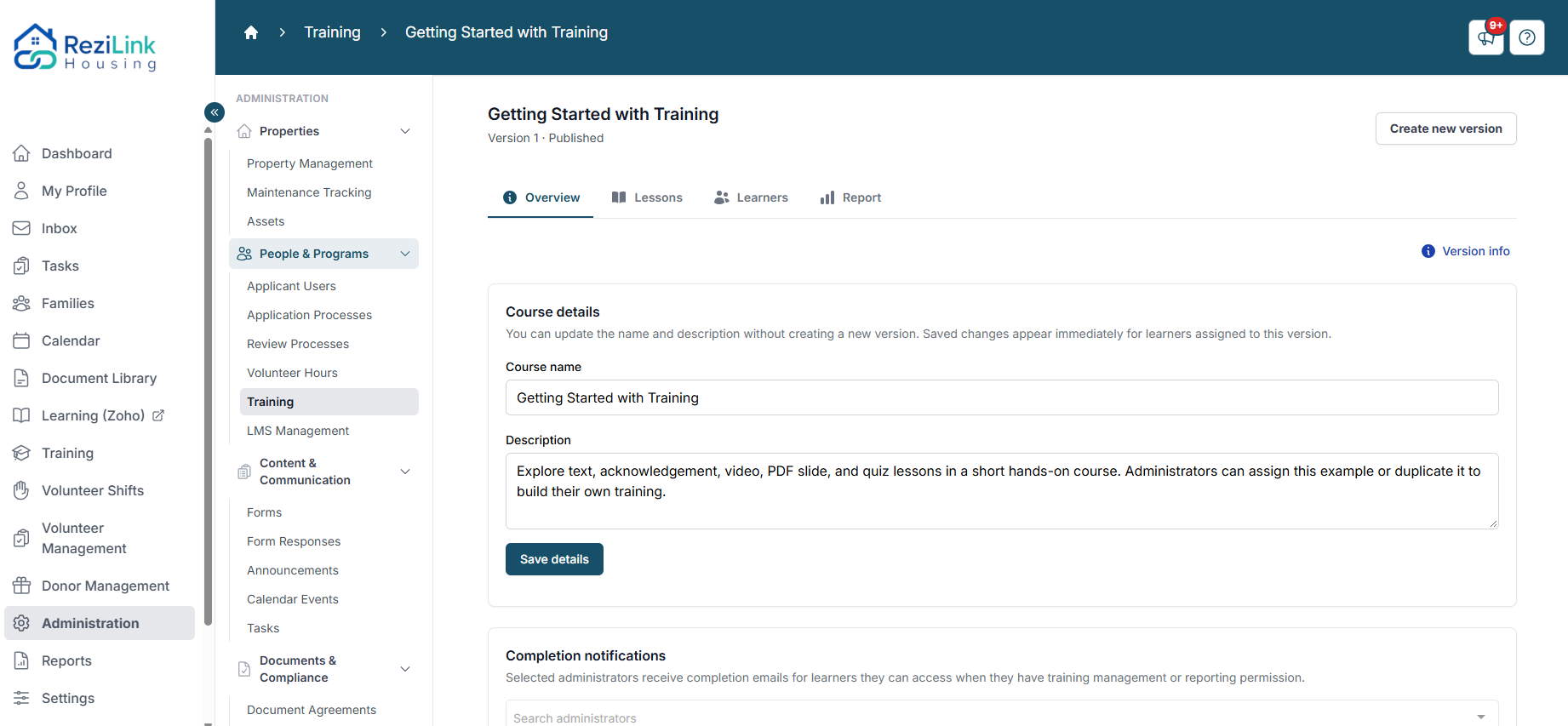
Overview, Lessons, Learners, and Report keep course management organized, from the first draft to the final completion record.
Combine the lesson types that fit your material. Choose required activities, participation time, acknowledgements, and quiz passing scores.
Publish a reviewed version, select learners, and set a due date if needed. Each new assignment includes an email invitation to start.
Learners work through their course, save their place, review missing slides, and return later with their progress intact.
See who has started or finished, check completion evidence, and export a report. Selected administrators can receive completion notifications.
Keep improving your training
Correct names, descriptions, and minor written wording in an existing version. For bigger changes to lessons, files, quizzes, or completion requirements, work in a new draft and publish when it is ready.
Learners keep their assigned version, progress, acknowledgements, quiz results, and completion dates. Publishing an updated course does not automatically move existing assignments or require people to repeat completed training.
Set course management and reporting permissions independently. Learners see their own assignments; staff work with the learner records they are authorized to access. Training views, downloads, and editorial corrections are audit logged.
Assign orientation to new volunteers, share procedures with staff, or guide program participants through educational material. Course assignments and completion records stay with the people already in your organization’s ReziLink account.
Tell us about your onboarding, orientation, or education needs. We can walk you through course creation, the learner experience, and completion reporting.